
Out-of-band control
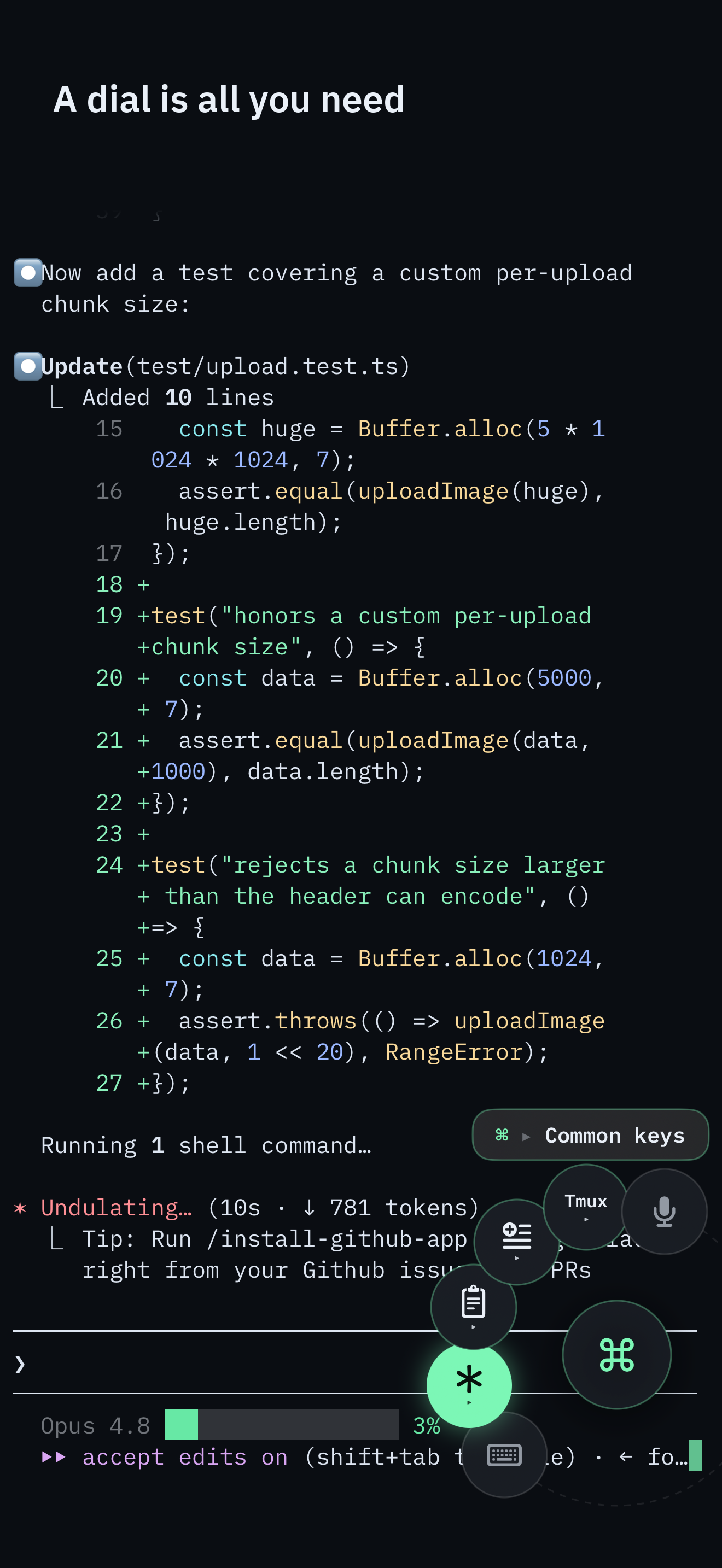
Next window, focus pane, rename, split, detach - issued over an SSH exec channel against the live multiplexer server, not typed into the interactive PTY.
Agent workflow
Your agent stays on your machine, inside tmux or herdr. SSHHIP attaches over SSH and steers the multiplexer on a separate channel so control commands never become agent stdin.
Next window, focus pane, rename, split, detach - issued over an SSH exec channel against the live multiplexer server, not typed into the interactive PTY.
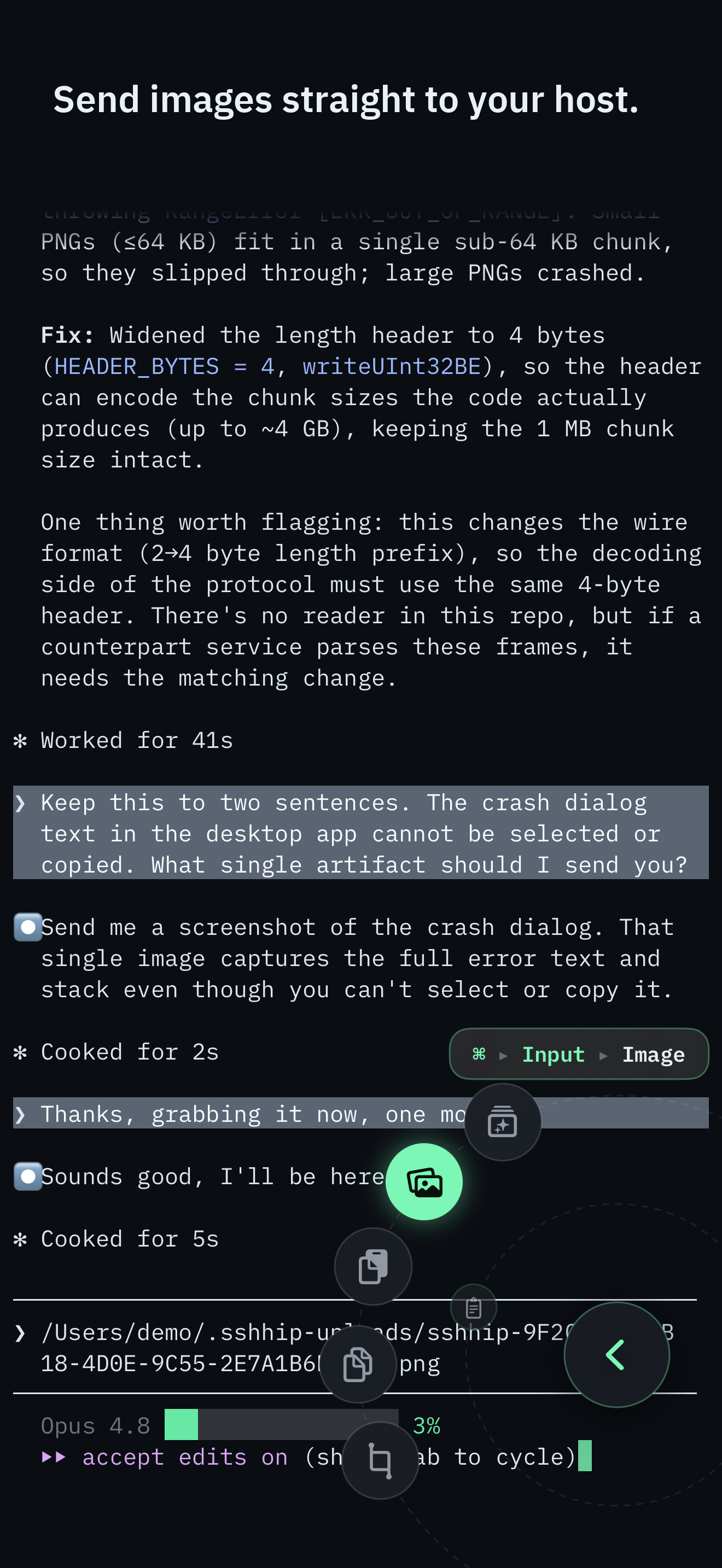
Upload a clipboard image or photo over the live SFTP connection and insert the remote path. SSHHIP never presses Return for you.
Pick Voice from the Command Dial, speak, then end and type - or end, type, and send. The transcript is normalized and typed into the live prompt. Recognition is on-device only; there is no cloud path.
Control surface
The Command Dial is the whole control surface: multiplexer actions, common keys, pane focus, snippets, voice, and Send Image. The software keyboard appears only when you pick Keyboard.
Typing a long command still needs Keyboard or Voice. The full command palette remains one puck-tap away.
A coding agent on your own machine is already reachable over SSH. The failure starts after you are attached.
Claude Code, Codex, and similar tools hold the focused pane. Anything you type there is that program's stdin.
On a laptop you might chord a tmux prefix and get away with it. On a phone, prefix chords are fragile, and a
foreground agent will happily swallow tmux next-window as a prompt fragment.
SSHHIP's contract is structural: multiplexer actions never go through the interactive PTY. They run on a separate SSH exec channel against the session you attached to. The agent keeps its pane. You still move windows, focus a neighbor, split, zoom, or detach. That mechanism is the product, not a convenience wrapper around typed commands. The Claude Code guide walks the setup and the two failure modes that show up only after a naive attach "works."
Anthropic's Remote Control is the official default for a Claude-app check-in: QR into the Claude iOS app, chat UI, subscription login. That is the right tool for that job. The honest split, including API keys and the roughly ten-minute unreachable timeout, is Claude Code Remote Control vs SSH.
Save the host once. Set startup behavior to attach tmux or herdr with the session name you already use. Connect. You land inside that session, not a fresh empty shell. The Command Dial is the whole control surface: keys, pane focus, multiplexer actions, snippets, voice, and the software keyboard. The keyboard appears only when you pick Keyboard. Most of a check-in never needs it. Opening a session, reconnecting, or dismissing a sheet will not flash it.
Directional pane focus is a first-class dial control, not a prefix sequence. A boundary edge is a calm no-op with haptic feedback. Destructive closes ask for confirmation. Detach, on tmux, targets SSHHIP's own client by resolved TTY so a second terminal on the same session is not kicked off. herdr has no socket-exposed detach; that leaf is hidden rather than faked. The tmux hub and herdr hub cover the native differences. The verified mapping is the command-level source of truth.
When the agent needs a screenshot, SSHHIP uploads the image over the live SFTP channel into
~/.sshhip-uploads/ on the same host and inserts the remote path on the input line. It does not
press Return. The agent reads a file on the machine it already runs on. There is no second login, no image
CDN, and no confirmation step: pasting or picking an image is the intent. This is not an SFTP browser; there
is no Files provider and no general file tree. Send Image is the scoped upload. Other clients that offer a
full file browser are listed honestly on the comparison matrix.
Saying the limits is part of the product. SSHHIP does not ship an agent kanban, a diff viewer, push approvals while the app is closed, or a vendor relay in the notification path. Default transport is automatic: Mosh first, with typed fallback to SSH. A network change can roam over Mosh; an SSH session is reconnect-and-reattach, lossless for the agent when a multiplexer is attached. If you need a vendor-hosted agent surface, a different client may fit better - start with the Moshi comparison. If you need port forwarding, jump hosts, or an SFTP browser, start with Termius or Secure ShellFish.
Credentials stay in Keychain / Secure Enclave. There is no SSHHIP account and no SSHHIP backend. Optional private iCloud sync covers saved-host metadata only, defaults off, and never includes passwords or keys. Access is a local one-month trial, then a $29.99 lifetime unlock - the same full app either way. Details live on the download page and privacy.
Open the session, move a pane, send one careful command, close the phone. Lifetime unlock after one month.