
Control without keystroke injection
SSHHIP opens a fresh exec channel for tmux commands against the attached session. Your non-default prefix is irrelevant because the prefix key is never involved.
Multiplexer hub
Attach to the session you already run. Control windows and panes without sending prefix keys into a foreground program - and without the software keyboard appearing until you ask.
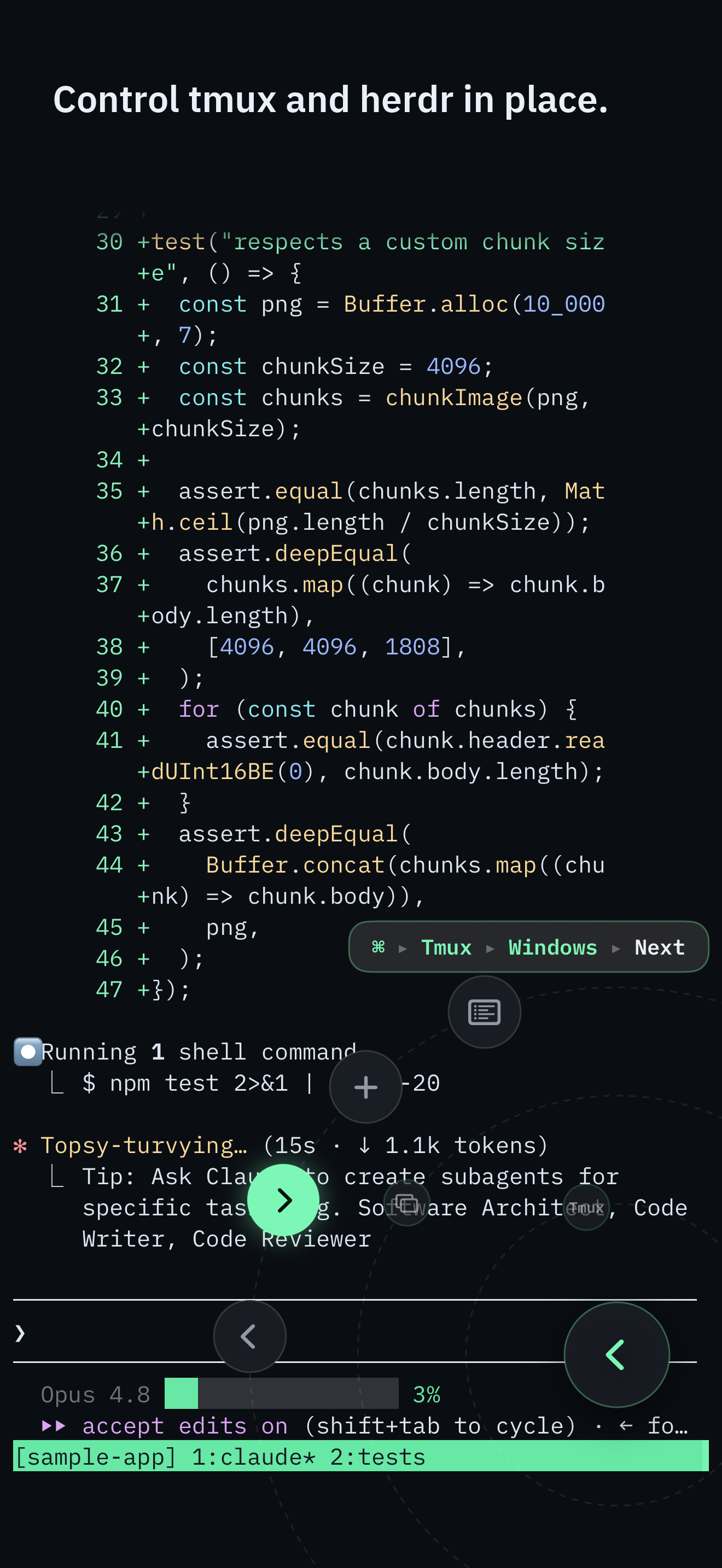
SSHHIP opens a fresh exec channel for tmux commands against the attached session. Your non-default prefix is irrelevant because the prefix key is never involved.
Directional pane focus is a first-class dial control. Boundary edges are calm no-ops with haptic feedback, not error sheets.
One-finger pans never inject garbage characters into the PTY. Mouse-reporting apps get wheel events; alternate screens get cursor keys; plain shells scroll local scrollback.
The iOS software keyboard may appear only after you pick Keyboard from the Command Dial or command menu. Opening a session, reconnecting, or dismissing a sheet will not flash it.
Control surface
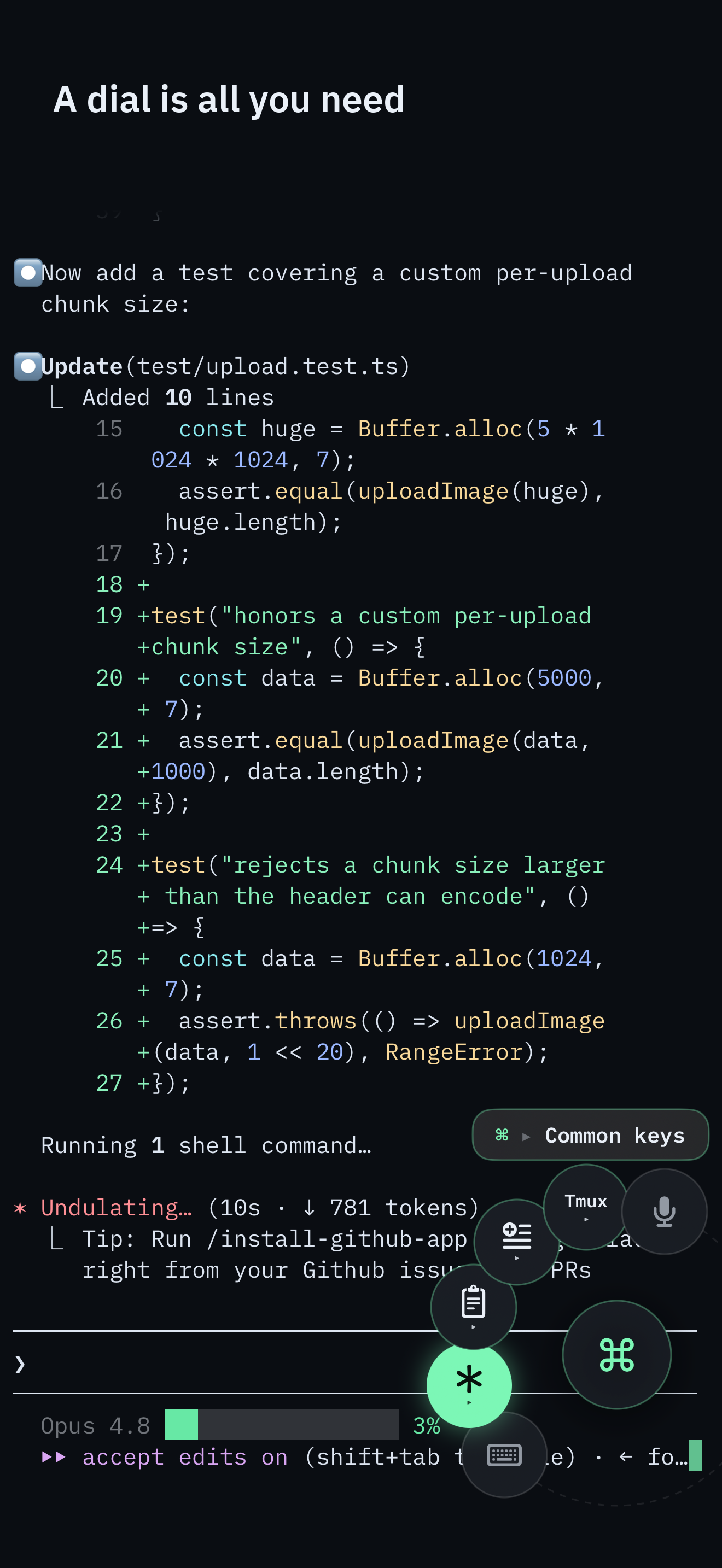
The Command Dial is the whole control surface: multiplexer actions, common keys, pane focus, snippets, voice, and Send Image. The software keyboard appears only when you pick Keyboard.
Typing a long command still needs Keyboard or Voice. The full command palette remains one puck-tap away.
tmux is a server. The interactive pane is just one client view. Typing tmux next-window into that
pane only works at a shell prompt. When Claude Code, vim, or less holds the pane, those bytes become that
program's input. On a laptop you might recover with a prefix chord. On a phone, chords are unreliable, and a
coding agent will treat the chord as a prompt. SSHHIP never takes that path for multiplexer control.
Instead it opens a separate SSH exec channel and runs the command against the attached session by name
(-t session). That reaches the same window and pane you are looking at, regardless of the
foreground program and regardless of whether your prefix is C-b, C-a, or a
backtick. The Command Dial and the full command palette share that channel. The
agent guide shows the failure mode in full; this page is the
tmux-shaped version of the same contract.
Save the host with startup behavior set to attach tmux and the session name you already use. Connect, and SSHHIP lands inside that session. A reconnect after the phone sleeps should reattach, not spawn a second agent. Default transport is automatic: Mosh first, with typed fallback to SSH. A network change can roam over Mosh; an SSH session is reconnect-and-reattach. With tmux that is lossless for the work on the host. The Tailscale guide covers the private path in, including fallback endpoints for LAN-then-tailnet.
Discovery of tmux itself uses the user's login shell, then common prefixes
(/opt/homebrew/bin, /usr/local/bin, $HOME/.local/bin). A non-login
sh -lc probe on Apple Silicon Homebrew hosts often cannot see a perfectly healthy binary. Run
the host-check snippet if attach claims tmux is missing.
Detach targets SSHHIP's own tmux client by resolved TTY, not detach-client -s. A second terminal
attached to the same session is not kicked off. If the client identity cannot be resolved, SSHHIP fails closed
with a notice instead of guessing. Copy mode is the tmux CLI surface; herdr has no equivalent, which is why
the herdr hub hides that leaf. The
verified tmux ↔ herdr mapping lists every control SSHHIP actually sends.
SSHHIP is not a general-purpose SSH Swiss Army knife. No port forwarding, jump hosts, or agent forwarding. No SFTP browser. Built-in themes only, with an adjustable 10-24 pt font. Those gaps are listed next to the apps that have the features on the comparison matrix - start with Blink Shell if tunnels and authored themes are the requirement, or Termius if you need forwarding and a larger toolbox. SSHHIP's claim is narrower: native iPhone and iPad SSH, one-tap tmux attach, and multiplexer commands that cannot land in the foreground program.
Full access for one month, then a $29.99 lifetime unlock. No account. No SSHHIP backend.