
Guide
How to run Claude Code from your iPhone (SSH + tmux)
The agent runs on your machine inside tmux or herdr. The phone attaches over SSH. Nothing is hosted by a vendor in the middle. The hard part is what breaks after the naive setup "works."
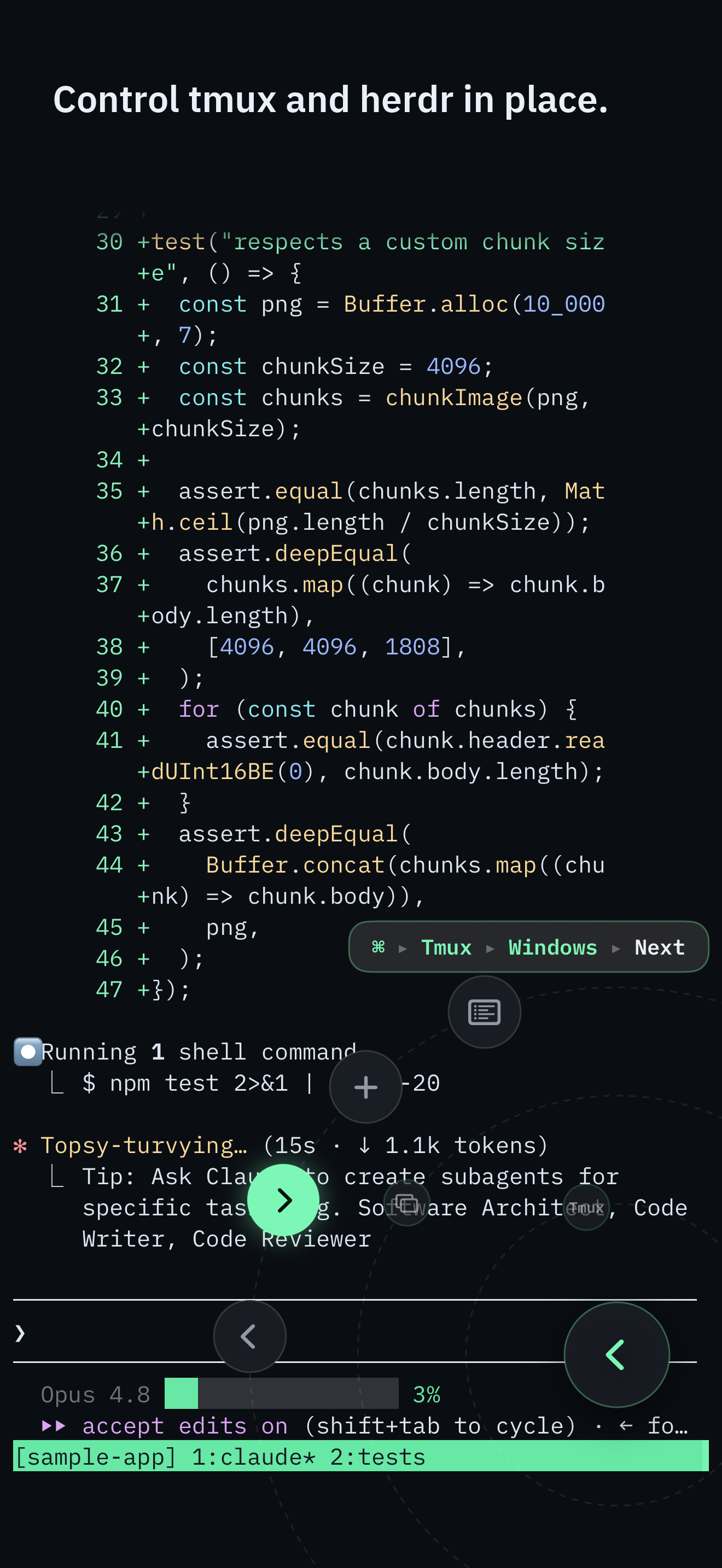
Control surface
Keyboardless control
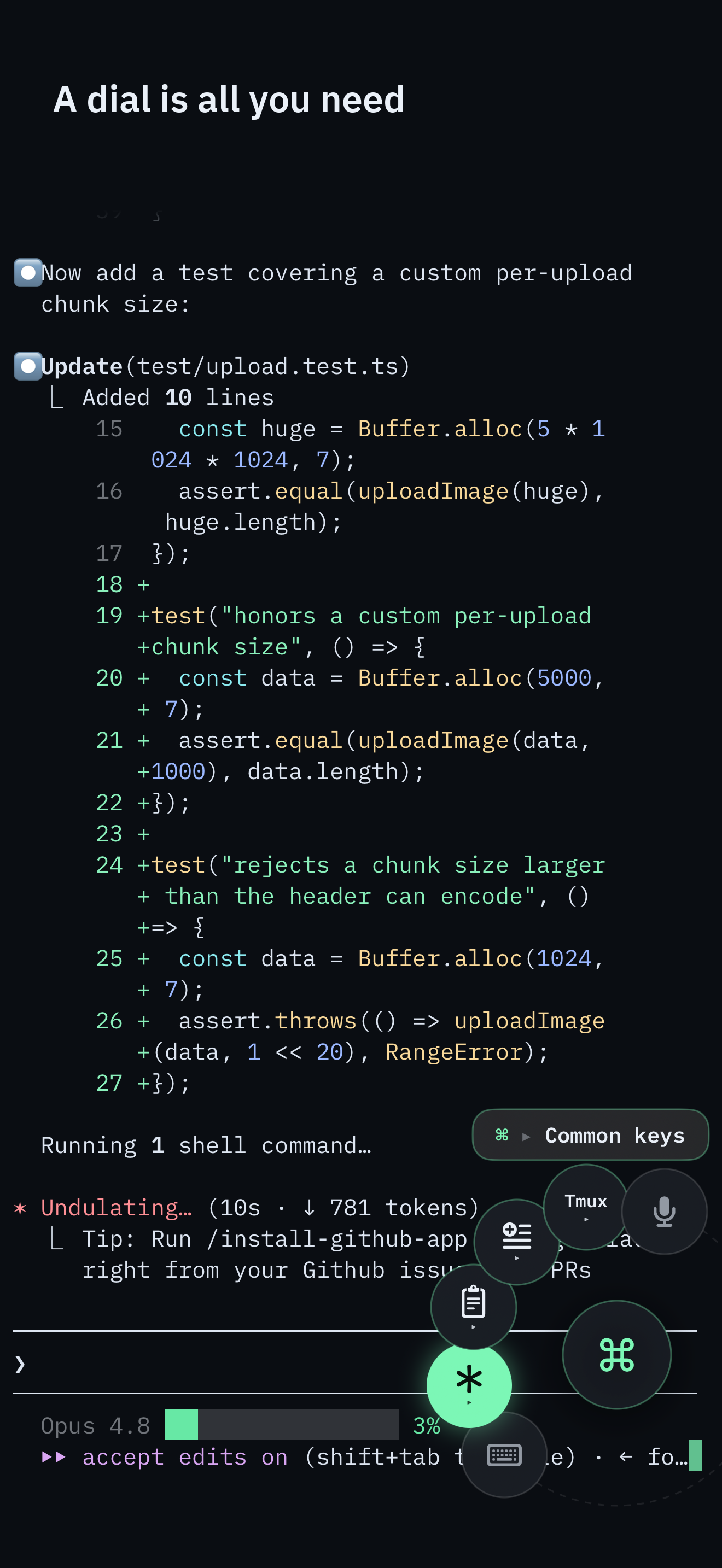
The Command Dial is the whole control surface: multiplexer actions, common keys, pane focus, snippets, voice, and Send Image. The software keyboard appears only when you pick Keyboard.
Typing a long command still needs Keyboard or Voice. The full command palette remains one puck-tap away.
What you are actually building
A long-lived coding agent on a machine you control, kept alive inside a multiplexer. Your phone is a client, not the computer. When the phone sleeps or the network changes, the agent keeps working on the host.
Remote Control is the official default. SSH is the other path.
Anthropic now ships Remote Control: run
claude remote-control or /rc, scan a QR code, and continue the session in the Claude
iOS app or at claude.ai/code. That is a chat UI into a local Claude Code process, not a terminal. For a quick
check-in on a Pro, Max, Team, or Enterprise login, it is the right default.
It is also a different product than this guide. Remote Control does not support API keys. If the machine is awake but unreachable for more than roughly ten minutes, the session times out and the process exits. It is Claude Code only - Codex, OpenCode, and a herdr workspace of mixed agents are out of scope. Conversation traffic goes through the Anthropic API; the transcript is stored there so devices can stay in sync.
The failure this page exists to name still applies on the SSH path: multiplexer commands typed into the pane become the agent's stdin. Remote Control does not solve that, because it is not a multiplexer client. SSHHIP's out-of-band exec channel does. Claude can run host tools on your behalf through Remote Control; use this setup when you want to operate a real terminal and arbitrary CLI or TUI programs directly yourself, with tmux or herdr, Send Image, on-device voice into the PTY, or any agent. The full split is Claude Code Remote Control vs SSH.
Prerequisites
- A Mac mini, workstation, or always-on host that will not sleep under you
- Remote Login / sshd enabled
- A private path in - Tailscale is the usual choice; see the Tailscale guide
- tmux or herdr installed where non-interactive SSH can see it
Step 1: keep the agent in a multiplexer
tmux new -A -s agent
# or
herdr --session agent
A bare ssh plus an agent process dies with the connection. The multiplexer is the persistence
boundary. Start the agent inside that session, not in a disposable login shell.
Step 2: reach the machine privately
Prefer a private mesh over opening sshd to the public internet. The Tailscale guide covers the reachability half of this setup without duplicating it here.
Step 3: attach from the phone
Save the host once. Set startup behavior to attach tmux or herdr with your session name. Connect. You should land inside the existing session, not a fresh empty shell every time. After that, the Command Dial is the control surface: next window, pane focus, Esc, Tab, arrows, snippets, voice, and Send Image. The software keyboard appears only when you pick Keyboard. Most of a check-in never needs it.
Failure 1 - the multiplexer your client cannot see
This is the crown jewel failure mode on Apple Silicon Homebrew hosts. In your interactive terminal:
command -v tmux
command -v herdr
# both look fine
Over non-interactive SSH:
ssh host 'command -v tmux'
ssh host 'command -v herdr'
# empty
Why: many clients probe with a non-login shell. On zsh + Apple Silicon Homebrew, /opt/homebrew/bin
is often added from ~/.zprofile, which sh -lc never sources. A perfectly healthy
binary false-negatives as "not installed."
Fix shape: invoke the user's login shell for discovery, then fall back to explicit common prefixes:
/opt/homebrew/bin, /usr/local/bin, $HOME/.local/bin. SSHHIP's out-of-band
probes do exactly that. Run the host-check snippet to see PATH-N
and PATH-FB on your machine.
Failure 2 - the command that lands in your agent's mouth
Suppose Claude Code is running in the focused pane and you type:
tmux next-window
If those bytes go into the interactive PTY, they become input to Claude Code, not a tmux command. The agent may treat them as instructions, partial JSON, or noise. Either way you corrupted the foreground program and the multiplexer command never ran.
Two fixes exist:
- Send the tmux prefix chord and command keys - fragile when the agent intercepts input or when you cannot reliably chord on a phone.
- Open a separate SSH exec channel and run
tmux … -t sessionthere. This works regardless of what holds the pane.
SSHHIP is built around option 2. The Command Dial's multiplexer actions and the full command palette both ride that out-of-band channel, so those commands fire without bringing up the software keyboard.
Sending an image to an agent
When the agent needs a screenshot, SSHHIP can upload image bytes over the live SFTP connection into
~/.sshhip-uploads/ and insert the remote path on the input line without pressing Return. The agent
reads a file path on the host - no third-party image host.
What this setup cannot do
No notification when the agent finishes while the app is closed. Default transport is automatic: Mosh first, with typed fallback to SSH. A network change can roam over Mosh; an SSH session is reconnect-and-reattach (lossless with a multiplexer). There is no vendor approval relay.
Related pages
SSHHIP is built for this exact workflow
Out-of-band multiplexer control, one-tap attach, Send Image, on-device voice. One-time purchase after one month.