
Real object model
herdr addresses session → workspace → tab → pane by id. SSHHIP resolves the focused workspace and pane before acting, because a bare SSH exec channel has no ambient herdr pane environment.
Multiplexer hub
SSHHIP treats herdr as a first-class multiplexer, not a shell afterthought. Workspaces, tabs, panes, and focus resolve through herdr's real object model over a separate exec channel. Agent Map shows that layout live, with agent status.
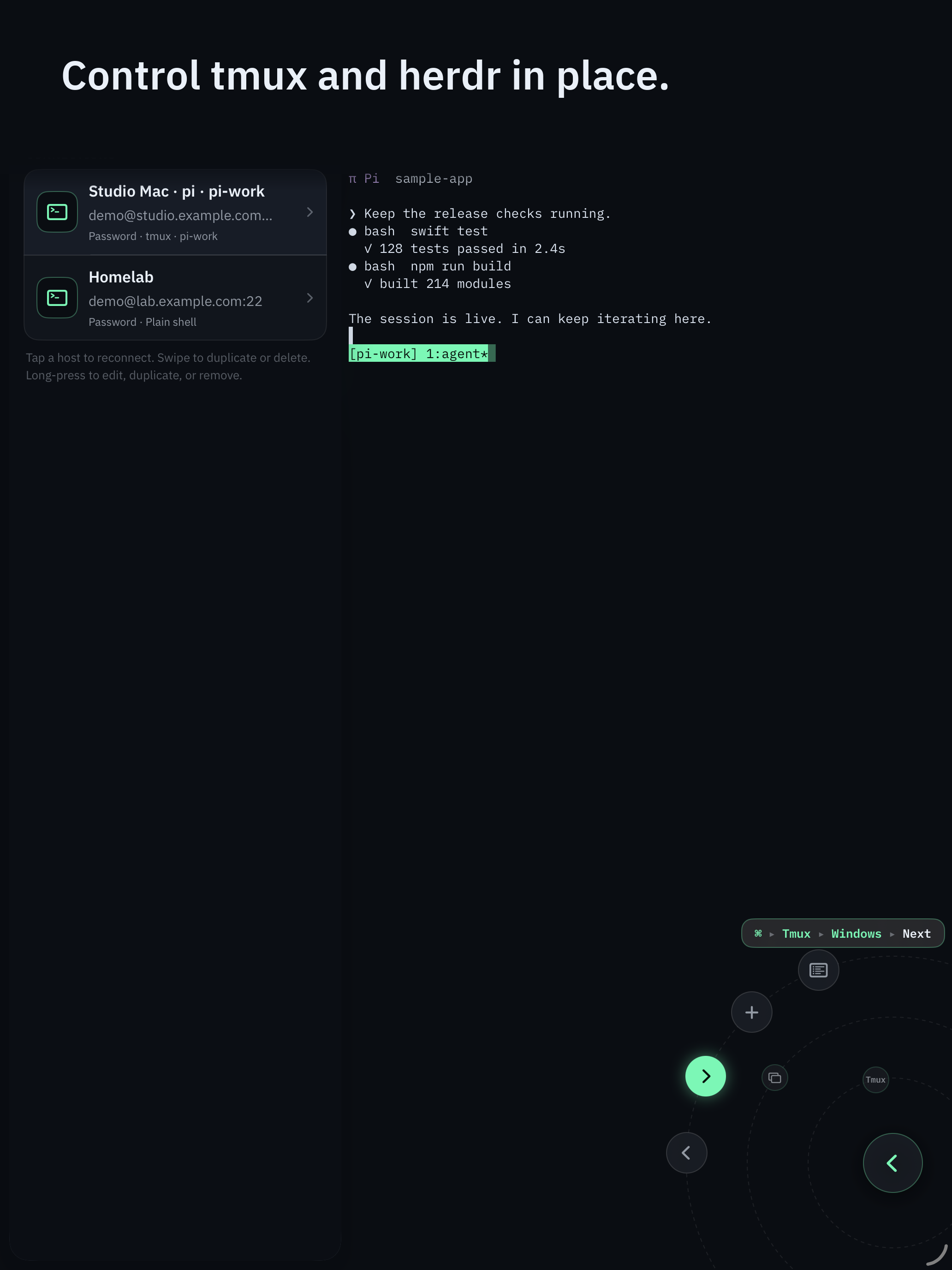
herdr addresses session → workspace → tab → pane by id. SSHHIP resolves the focused workspace and pane before acting, because a bare SSH exec channel has no ambient herdr pane environment.
Out-of-band probes start the user's login shell so Homebrew paths from ~/.zprofile are visible,
then fall back to /opt/homebrew/bin, /usr/local/bin, and
$HOME/.local/bin.
herdr has no socket-exposed detach and no cross-session client switch. SSHHIP hides those leaves instead of sending commands that do not exist.
Control surface
The Command Dial is the whole control surface: multiplexer actions, common keys, pane focus, snippets, voice, and Send Image. The software keyboard appears only when you pick Keyboard.
Typing a long command still needs Keyboard or Voice. The full command palette remains one puck-tap away.
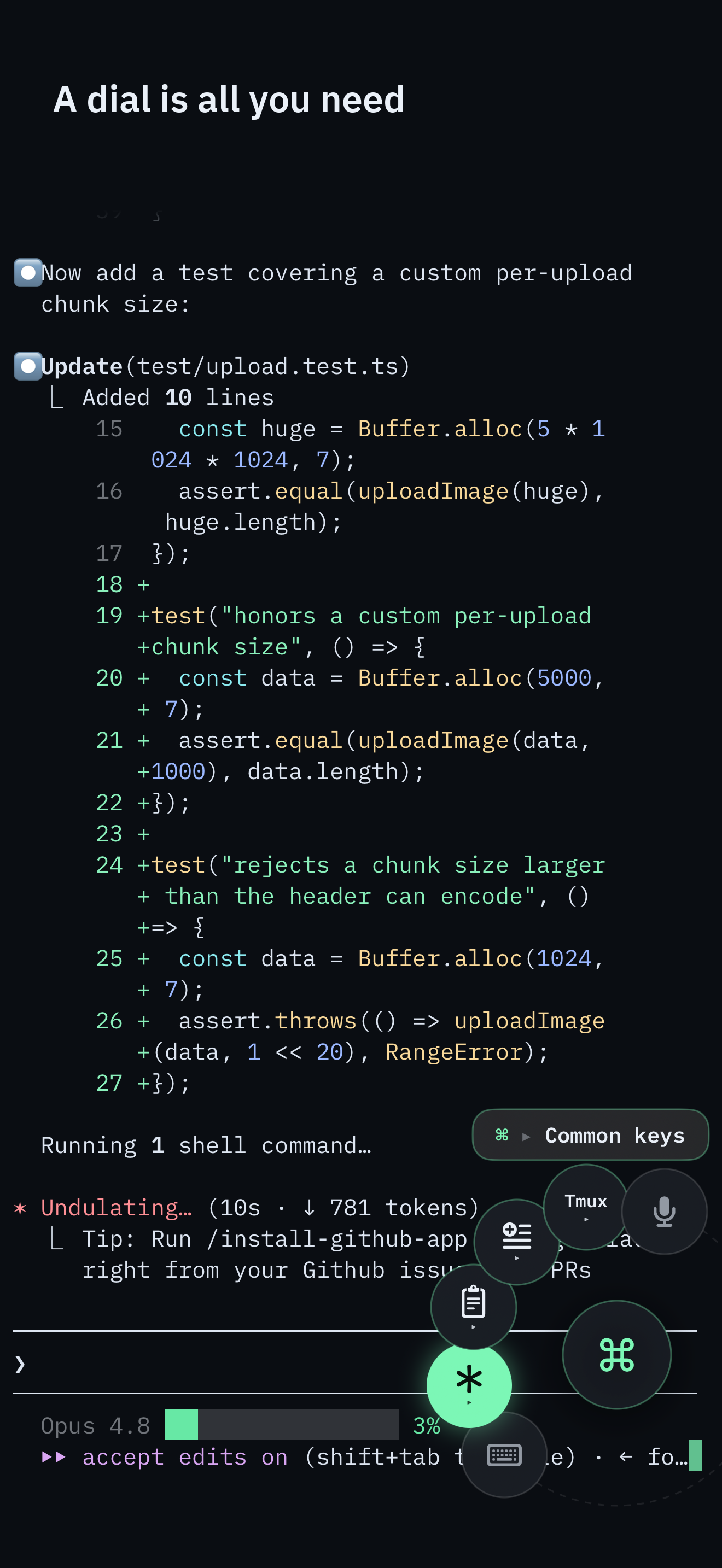
tmux's model is session / window / pane, addressed by name or index. herdr's model is session / workspace / tab / pane, addressed by id. A herdr surface in SSHHIP never says "window." Tabs, workspaces, and panes keep herdr's own nouns in the Command Dial, the command palette, and notices. The shared layer is the out-of-band exec channel: the same "do not type into the foreground program" rule as tmux, with native commands underneath.
Socket API subcommands have no ambient current pane on a bare SSH exec channel.
HERDR_PANE_ID exists inside an attached client pane, which an out-of-band command never is.
Every control action therefore sets HERDR_SESSION and resolves the focused workspace, then the
focused tab or pane, before mutating. That extra round trip is why focus, zoom, split, and close stay
fail-closed instead of hoping --current exists. The
verified mapping was checked against a real herdr binary, not only
--help text.
Save the host with startup behavior set to attach herdr and the session name you already use.
herdr --session NAME is the attach-or-create analog of tmux new-session -A. herdr
has no session-creation command hook, so SSHHIP cannot embed a startup command the way tmux can. If a
write-adjacent probe shows the session is absent, SSHHIP types the saved startup command after the attach
line. If the session is already there, or the probe fails, it sends the plain attach-or-create line and
skips the typed command. Fail closed beats launching a second agent into a live workspace.
Workspaces are herdr-only. The dial exposes a workspaces picker; tmux has no equivalent so that leaf stays
hidden on tmux hosts. List Sessions remains available from the command palette. Switching sessions while
already attached is a tmux switch-client behavior; herdr has no cross-session client switch, so
that flow surfaces a notice instead of sending a command that does not exist. Copy mode is likewise a
TUI-only keybinding with no CLI, so it is hidden for herdr.
On a live herdr session, Agent Map (Command Dial or command palette) shows workspaces, tabs, and live agent status. Tapping a tab focuses it. The map is herdr-only; tmux has no equivalent leaf.
Other iOS clients also talk about herdr. SSHHIP's claim is narrower and checkable: the control mapping was
verified against a real herdr binary, and controls ride an out-of-band channel shared with tmux through one
abstraction. See the verified mapping. PATH discovery is the other
checkable claim: probes start the user's login shell so Homebrew paths from ~/.zprofile are
visible. Bare sh -lc is not enough on Apple Silicon. The
host-check snippet is the same probe you can run yourself.
Default transport is automatic: Mosh first, with typed fallback to SSH. A network change can roam over Mosh; an SSH session is reconnect-and-reattach. herdr on the host is the persistence boundary either way. Credentials stay in Keychain. There is no SSHHIP account. The same one-month trial and lifetime unlock as the rest of the app - see download. If you are choosing among iOS SSH clients on feature count rather than multiplexer control, the dated matrix lists SSHHIP's gaps next to Termius, Secure ShellFish, Blink Shell, and Moshi.
Full access for one month, then a $29.99 lifetime unlock. No account. No SSHHIP backend.