
Guide
How to run Codex from your iPhone
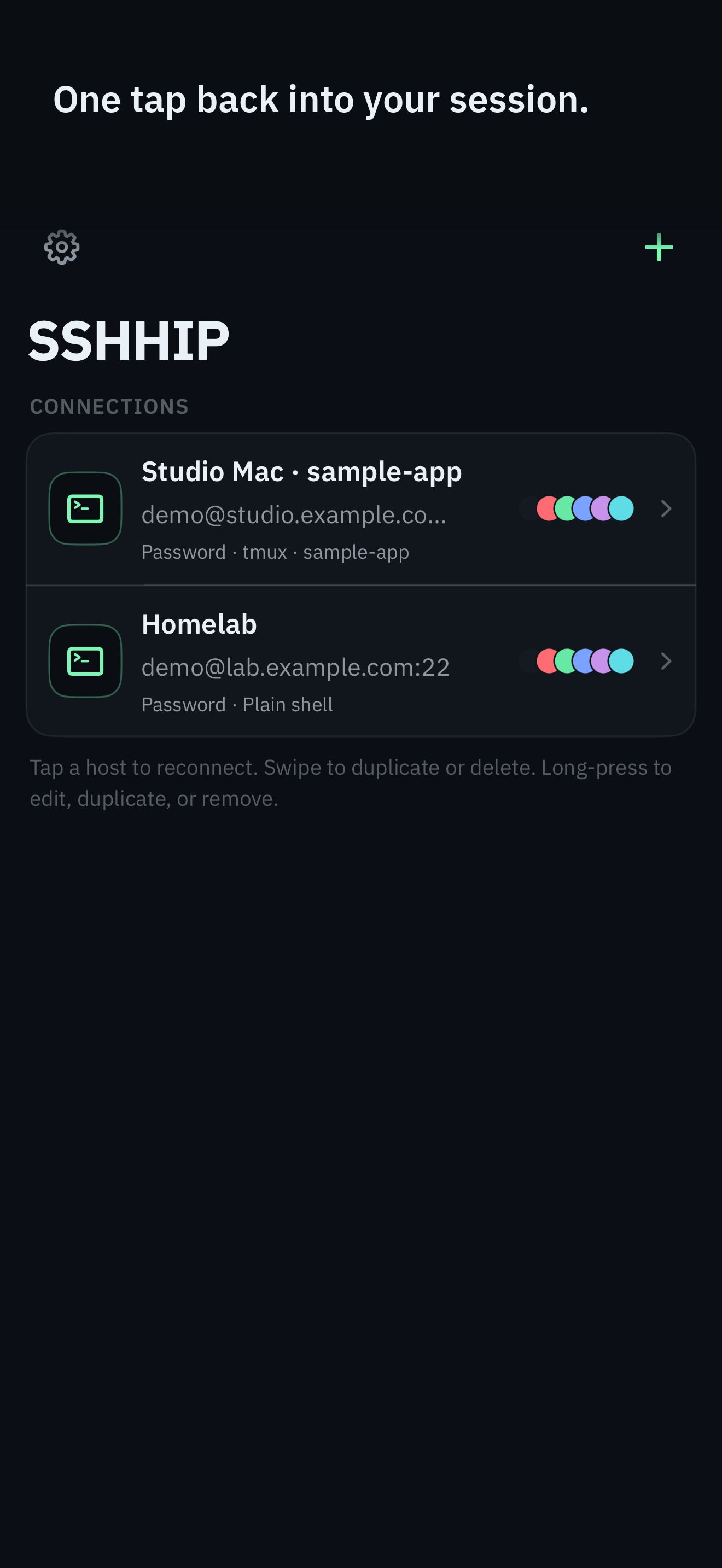
ChatGPT Remote Connections can steer Codex from an iPhone paired to a Mac or Windows host. SSHHIP is the other path: a real SSH terminal, tmux or herdr, and the Command Dial so most control never needs the software keyboard.
Control surface
Keyboardless control
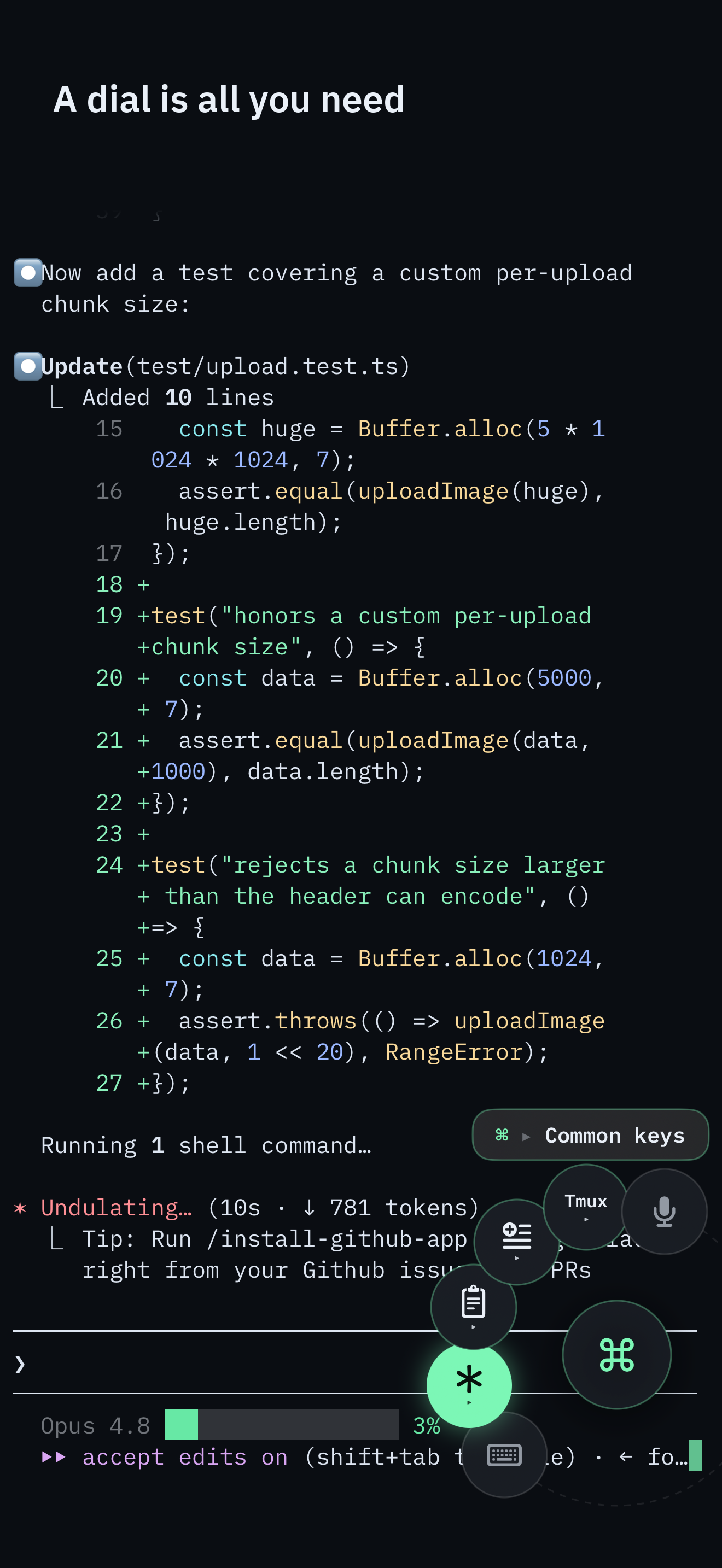
The Command Dial is the whole control surface: multiplexer actions, common keys, pane focus, snippets, voice, and Send Image. The software keyboard appears only when you pick Keyboard.
Typing a long command still needs Keyboard or Voice. The full command palette remains one puck-tap away.
Reuse the setup you already have
Do not rebuild a second tunnel. Put Codex on the host inside tmux or herdr, reach the machine privately, and attach from the phone. The reachability half is the Tailscale guide (no port forwarding). The attach and failure modes are the same as the Claude Code guide - only the process in the pane changes.
tmux new -A -s agent
# start Codex inside that session, then detach
# on the phone: SSHHIP startup = attach tmux session "agent"
ChatGPT Remote or a real terminal?
OpenAI's Remote Connections is the official mobile path for Codex. Pair the ChatGPT mobile app with the ChatGPT desktop app on a Mac or Windows host, including by QR code, then start, steer, and review Codex chats from the phone. For a Codex check-in in ChatGPT on a paired desktop, that is a direct fit.
SSHHIP serves a different workflow: it opens a real PTY that you operate directly, so Codex is one program among any CLI or TUI on the host - htop, vim, git, Claude Code, OpenCode, a herdr workspace, a plain shell. ChatGPT Remote Connections lets Codex work through its agent interface on the paired host; it does not give you a PTY for directly operating arbitrary interactive programs yourself. SSHHIP attaches to tmux or herdr and runs multiplexer controls on a separate SSH exec channel so those commands never become Codex stdin. Send Image uploads over SFTP and inserts a host path into the terminal. Choose it when you want the host's terminal and a multiplexer client, not as a substitute for ChatGPT Remote's focused Codex experience.
After attach, the Command Dial is the control surface: next window, pane focus, Esc, Tab, arrows, snippets, voice, and Send Image. The software keyboard appears only when you pick Keyboard. A Codex check-in that is multiplexer work and a few keys does not need the on-screen keyboard at all. Typing a long prompt still does; Voice is the other path for that.
The two failures are unchanged
PATH: a non-login SSH probe often cannot see Homebrew tmux or herdr on Apple Silicon. SSHHIP's out-of-band probes use the login shell, then common prefixes. Run the host-check snippet if attach says the multiplexer is missing.
Stdin: if Codex holds the focused pane and you type
tmux next-window into the PTY, those bytes are Codex input. Prefix chords on a phone are fragile.
SSHHIP runs multiplexer actions on a separate SSH exec channel against the attached session instead.
Send Image is the same upload: SFTP into ~/.sshhip-uploads/, insert the remote path, never press
Return. Voice types into the live PTY. Default transport is automatic: Mosh first, with typed fallback to SSH.
A network change can roam over Mosh; an SSH session is reconnect-and-reattach.
Related pages
Same attach. Different agent.
Out-of-band multiplexer control from the Command Dial, so Codex keeps the pane. Lifetime unlock after one month.